> ## Documentation Index
> Fetch the complete documentation index at: https://visitdocs.planpoint.io/llms.txt
> Use this file to discover all available pages before exploring further.
# Custom CSS
> Take full control of the viewer styling when the style editor is not enough.
If your brand needs something the [style editor](/customize/style-editor) cannot express, you can inject your own CSS into the viewer.
Go to **Settings → Customization** and click **Use your own CSS**. The button turns dark and reads **Custom CSS enabled**; a code editor opens underneath.
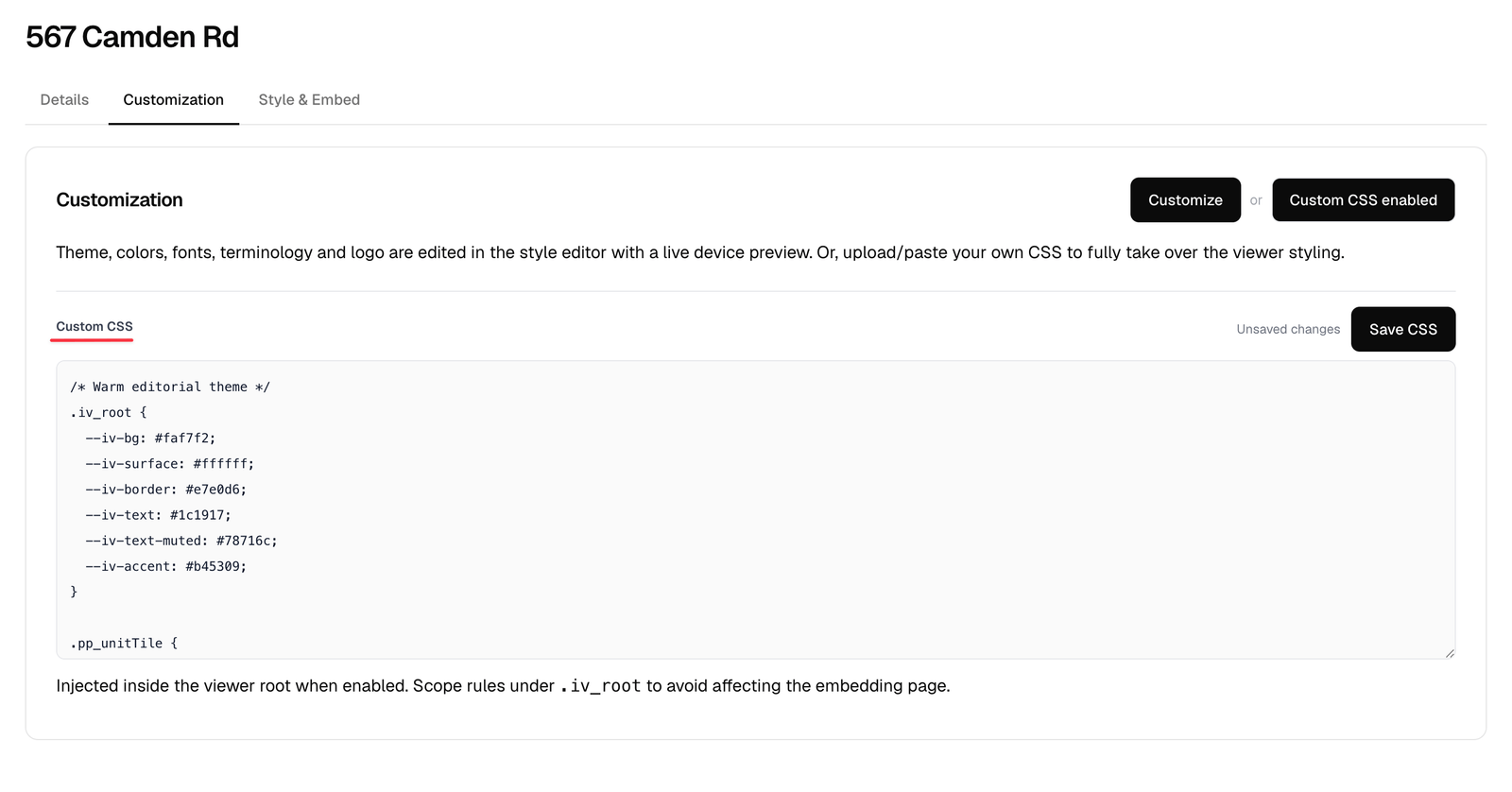 Custom CSS is the one part of the editor that does **not** autosave. Click **Save CSS** — the indicator next to the button shows *Unsaved changes*, *Saving…* or *Saved*.
## Where to start
Everything in the viewer is namespaced. The root element is `.iv_root`, and the CSS custom properties it exposes are the cleanest way to restyle:
```css theme={null}
.iv_root {
--iv-bg: #faf7f2;
--iv-surface: #ffffff;
--iv-border: #e7e0d6;
--iv-text: #1c1917;
--iv-text-muted: #78716c;
--iv-accent: #b45309;
}
```
Overriding the variables keeps light mode, dark mode and every component consistent. Reach for element selectors only when a variable cannot do the job.
## Useful class names
| Class | Element |
| -------------------- | ----------------------- |
| `.iv_root` | The whole viewer |
| `.iv_split` | The two-pane grid |
| `.iv_canvas` | The media pane |
| `.iv_panel-controls` | The filter row |
| `.pp_unitTile` | A room card |
| `.iv_polygon` | A floor or room shape |
| `.iv_room-vp` | A viewpoint marker |
| `.iv_hotspot` | A feature hotspot pin |
| `.iv_btn--detail` | The room action buttons |
Open your published Visit, right-click an element and choose **Inspect** to find the exact class you need. Every class the viewer uses starts with `iv_` or `pp_`.
## Loading a custom font
```css theme={null}
@import url("https://fonts.googleapis.com/css2?family=Cormorant+Garamond:wght@400;700&display=swap");
.iv_root {
font-family: "Cormorant Garamond", serif;
}
```
## Turning it off
Click **Custom CSS enabled** again to disable it. Your CSS is kept, so you can toggle it back on without retyping.
## Support
Custom CSS is powerful and unsupported by definition — a future viewer update can change an internal class name. Stick to the variables where you can, keep your overrides short, and re-check them after a release.
Custom CSS is the one part of the editor that does **not** autosave. Click **Save CSS** — the indicator next to the button shows *Unsaved changes*, *Saving…* or *Saved*.
## Where to start
Everything in the viewer is namespaced. The root element is `.iv_root`, and the CSS custom properties it exposes are the cleanest way to restyle:
```css theme={null}
.iv_root {
--iv-bg: #faf7f2;
--iv-surface: #ffffff;
--iv-border: #e7e0d6;
--iv-text: #1c1917;
--iv-text-muted: #78716c;
--iv-accent: #b45309;
}
```
Overriding the variables keeps light mode, dark mode and every component consistent. Reach for element selectors only when a variable cannot do the job.
## Useful class names
| Class | Element |
| -------------------- | ----------------------- |
| `.iv_root` | The whole viewer |
| `.iv_split` | The two-pane grid |
| `.iv_canvas` | The media pane |
| `.iv_panel-controls` | The filter row |
| `.pp_unitTile` | A room card |
| `.iv_polygon` | A floor or room shape |
| `.iv_room-vp` | A viewpoint marker |
| `.iv_hotspot` | A feature hotspot pin |
| `.iv_btn--detail` | The room action buttons |
Open your published Visit, right-click an element and choose **Inspect** to find the exact class you need. Every class the viewer uses starts with `iv_` or `pp_`.
## Loading a custom font
```css theme={null}
@import url("https://fonts.googleapis.com/css2?family=Cormorant+Garamond:wght@400;700&display=swap");
.iv_root {
font-family: "Cormorant Garamond", serif;
}
```
## Turning it off
Click **Custom CSS enabled** again to disable it. Your CSS is kept, so you can toggle it back on without retyping.
## Support
Custom CSS is powerful and unsupported by definition — a future viewer update can change an internal class name. Stick to the variables where you can, keep your overrides short, and re-check them after a release.