> ## Documentation Index
> Fetch the complete documentation index at: https://visitdocs.planpoint.io/llms.txt
> Use this file to discover all available pages before exploring further.
# Contact form & leads
> Capture enquiries from inside the Visit and get them in your inbox.
The contact form requires the Pro plan.
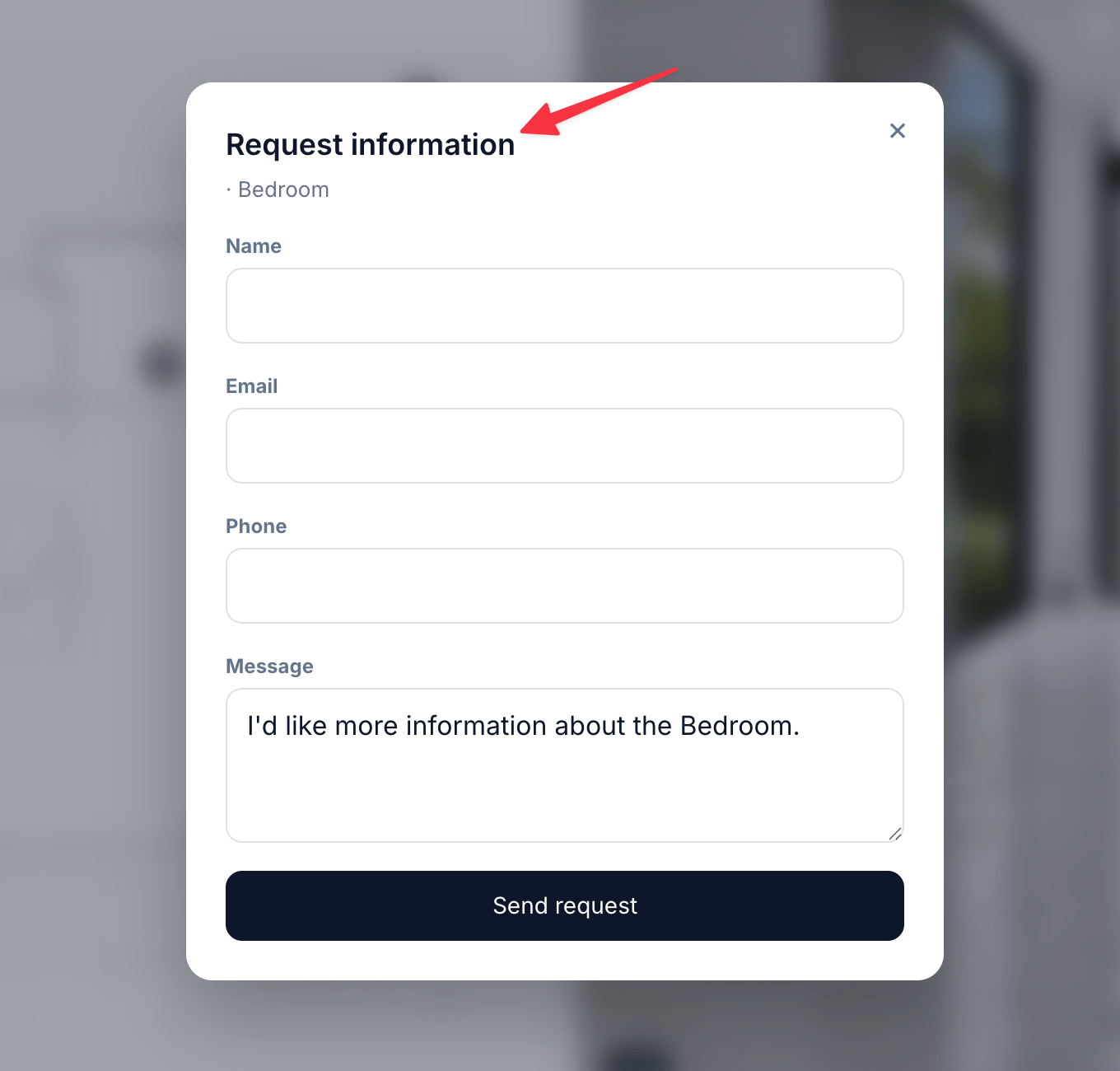
The form lives in **Sales → Form**. When it is enabled, a **Request Information** button appears on room views and opens a dialog over the Visit — the visitor never leaves the tour.
 ## Setting it up
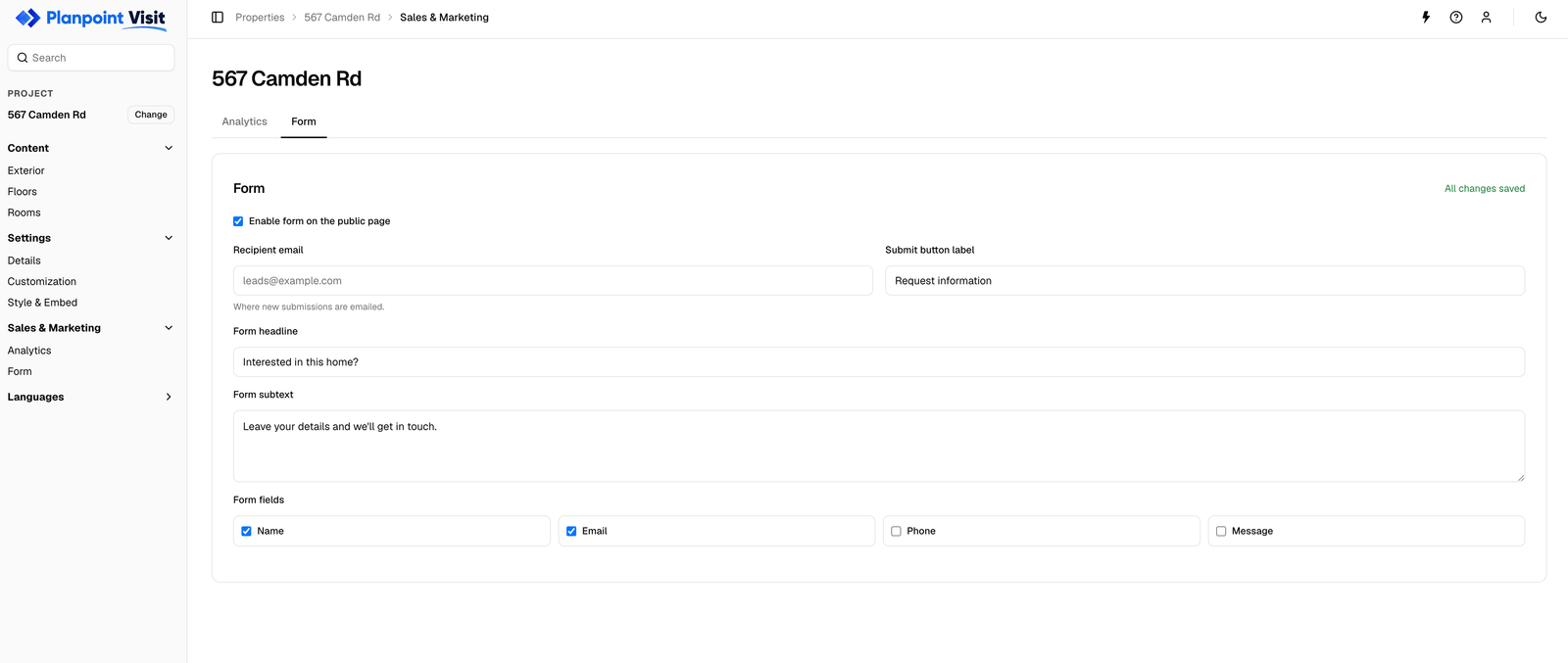
Tick **Enable form on the public page**.
Where new submissions are emailed. Use a monitored shared inbox rather than a personal address.
**Form headline** and **Form subtext** set the tone of the dialog, and **Submit button label** replaces the default call to action.
Toggle **Name**, **Email**, **Phone** and **Message** independently.
## Setting it up
Tick **Enable form on the public page**.
Where new submissions are emailed. Use a monitored shared inbox rather than a personal address.
**Form headline** and **Form subtext** set the tone of the dialog, and **Submit button label** replaces the default call to action.
Toggle **Name**, **Email**, **Phone** and **Message** independently.
 ## Writing copy that converts
| Field | Weak | Better |
| -------- | ----------------- | ----------------------------------------------- |
| Headline | Contact us | Interested in this property? |
| Subtext | Fill in the form. | Send a message and we'll get back to you today. |
| Button | Submit | Request details |
Keep the ask small. Name and email is enough to start a conversation; adding phone and a long message field measurably reduces submissions.
## Leads
Submissions are emailed to the recipient address and also stored against the property, so nothing is lost if a mail goes astray.
Reply fast. An enquiry sent from inside a Visit comes from someone who was looking at your property seconds ago.
## Translations
The headline, subtext and button label are your own text, so they appear in the [Translations](/features/languages) tab for every language you enable. The field labels themselves are part of the interface and are already translated.
## Not seeing the form?
* Check **Enable form on the public page** is ticked
* Check your plan — the form is Pro-only
* The button appears on room views; the exterior view does not show it
## Writing copy that converts
| Field | Weak | Better |
| -------- | ----------------- | ----------------------------------------------- |
| Headline | Contact us | Interested in this property? |
| Subtext | Fill in the form. | Send a message and we'll get back to you today. |
| Button | Submit | Request details |
Keep the ask small. Name and email is enough to start a conversation; adding phone and a long message field measurably reduces submissions.
## Leads
Submissions are emailed to the recipient address and also stored against the property, so nothing is lost if a mail goes astray.
Reply fast. An enquiry sent from inside a Visit comes from someone who was looking at your property seconds ago.
## Translations
The headline, subtext and button label are your own text, so they appear in the [Translations](/features/languages) tab for every language you enable. The field labels themselves are part of the interface and are already translated.
## Not seeing the form?
* Check **Enable form on the public page** is ticked
* Check your plan — the form is Pro-only
* The button appears on room views; the exterior view does not show it