

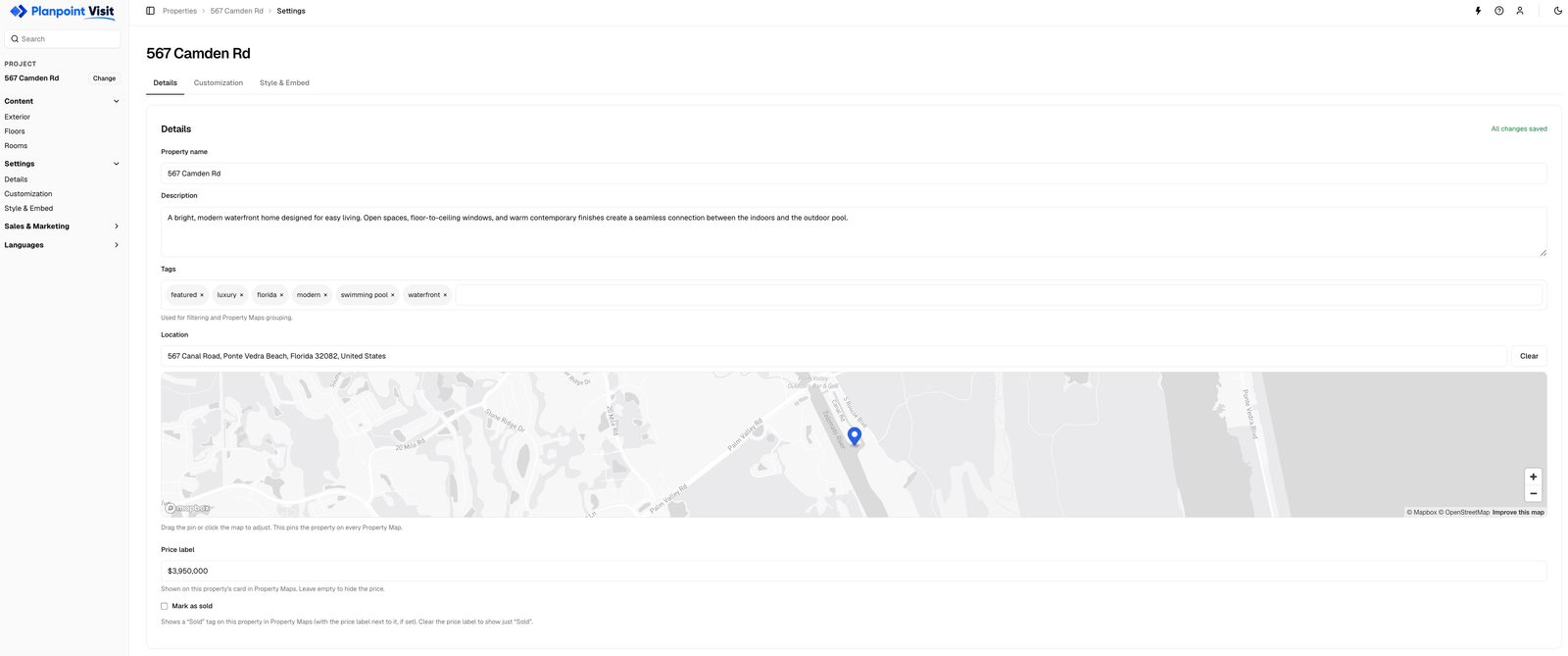
Settings → Details
Property name
Shown as the page title of the public Visit, on the browser tab, and in link previews when the URL is shared. Use the name a buyer would recognise — the street address, or the project name.Description
A short pitch. It appears under the property name in link previews and is one of the strings you can translate. Two or three sentences is plenty.Tags
Free-text labels —lisbon, agent-silva, new-build, algarve. Tags are never shown to buyers. They exist so you can:
- filter the properties list as your account grows,
- bulk-add a set of properties to a Property Map in one click.
Location
The location is the single source of truth for where this property sits on a map. Start typing an address and pick a suggestion, or click the mini map to drop the pin exactly where you want it. Drag the pin to fine-tune; the address label updates to match.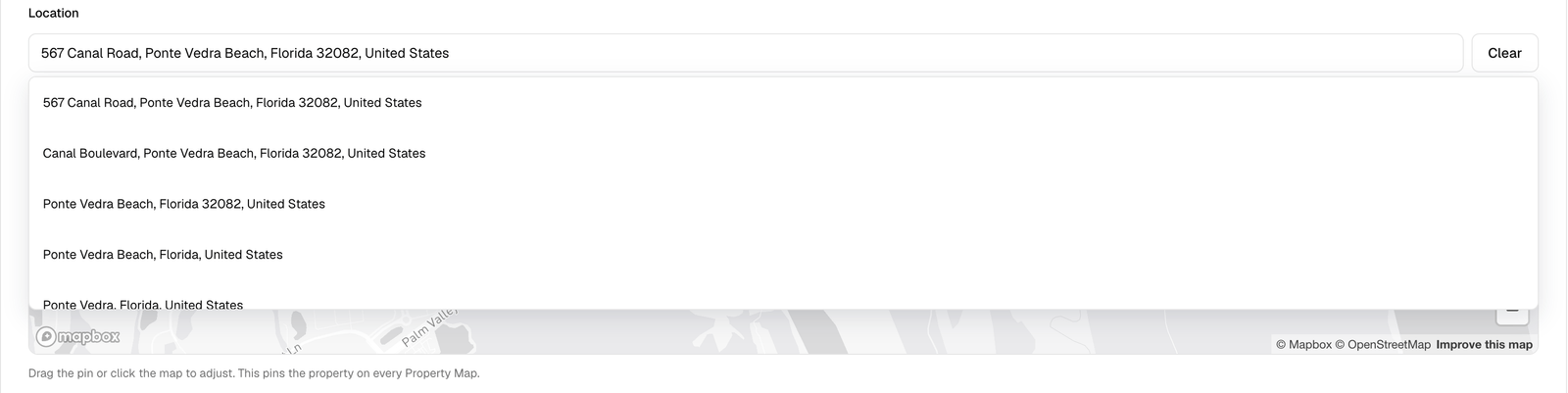
The location picker — search an address or drag the pin
Property Maps read this pin. If you move the pin here, every map that includes this property moves with it — and the address on the map card follows the pin, not any other field.
Price label
Free text, so you can write€480,000, From $1.2M or Price on request. It is shown on the property’s card in Property Maps. Leave it empty to hide the price entirely.