

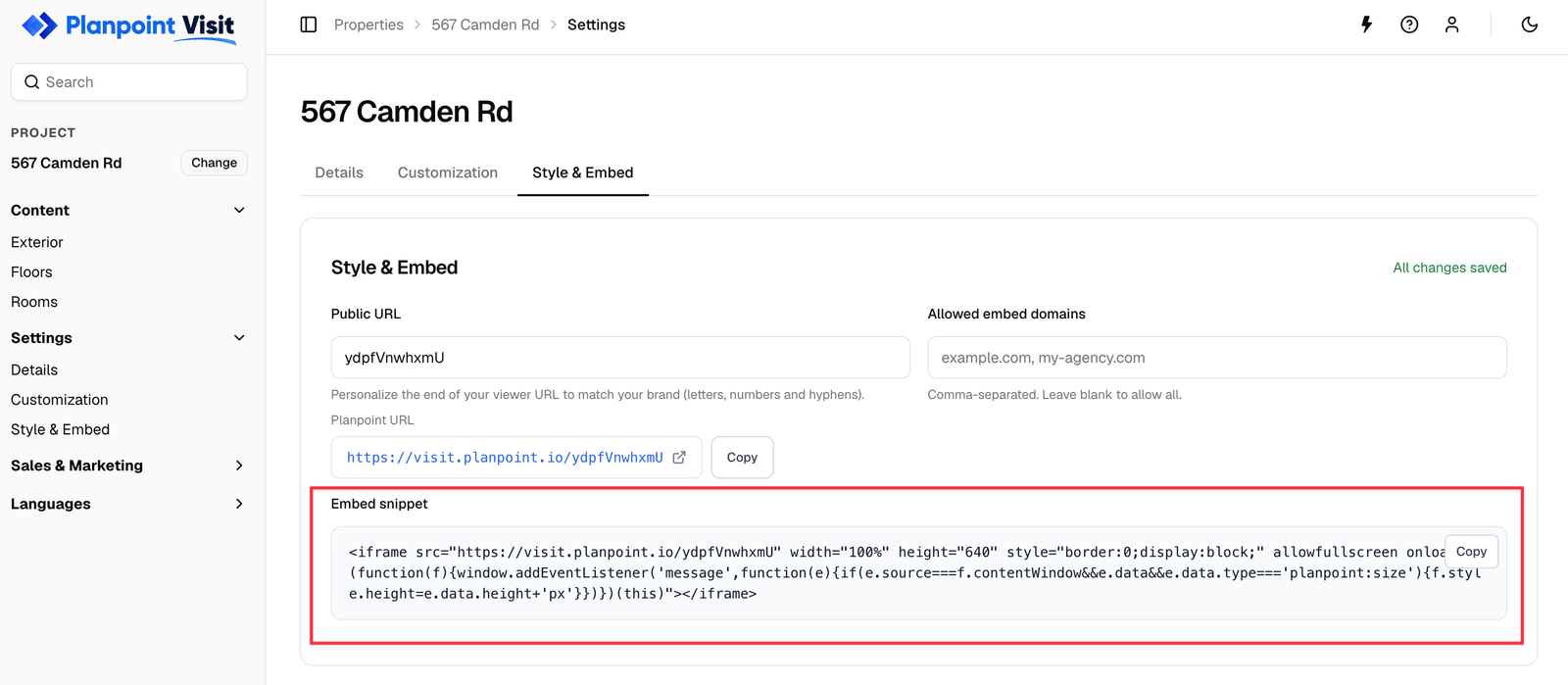
The embed snippet is generated for you — just copy and paste
The snippet
onload handler that listens for a planpoint:size message from the viewer and resizes the iframe to fit its content — so the Visit never ends up with an inner scrollbar.
Keep
allowfullscreen. Without it, the fullscreen photo view and the buyer’s floor plan editor cannot expand.Allowed embed domains
In the same card, Allowed embed domains takes a comma-separated list:Sizing
- Width — leave at
100%so it follows your layout. - Height —
640is a sensible starting point. With the auto-resize handler in place the iframe grows to fit; if your CMS strips inline event handlers, set a fixed height of at least600pxinstead.
Platform notes
WordPress
WordPress
Use a Custom HTML block, not the visual editor — the classic editor may strip the
onload attribute. Some security plugins block iframes; allow visit.planpoint.io if the embed appears empty.Webflow
Webflow
Add an Embed element and paste the snippet. Set the parent div’s height in the Designer if you want a fixed size.
Squarespace / Wix
Squarespace / Wix
Use the Embed / HTML block. Both platforms sandbox custom code, so if the auto-resize does not fire, set a fixed height on the iframe.
React / Next.js
React / Next.js
Paste the iframe as JSX, renaming
allowfullscreen to allowFullScreen and style to an object. Subscribe to the planpoint:size message in a useEffect if you want auto-resize.Behaviour inside an iframe
Most things work identically, with two exceptions worth knowing:- Panorama mode relies on the parent page for scroll gestures, so it can feel different from the standalone URL.
- Browsers block install to home screen prompts inside frames.