

Pro feature
The contact form requires the Pro plan.
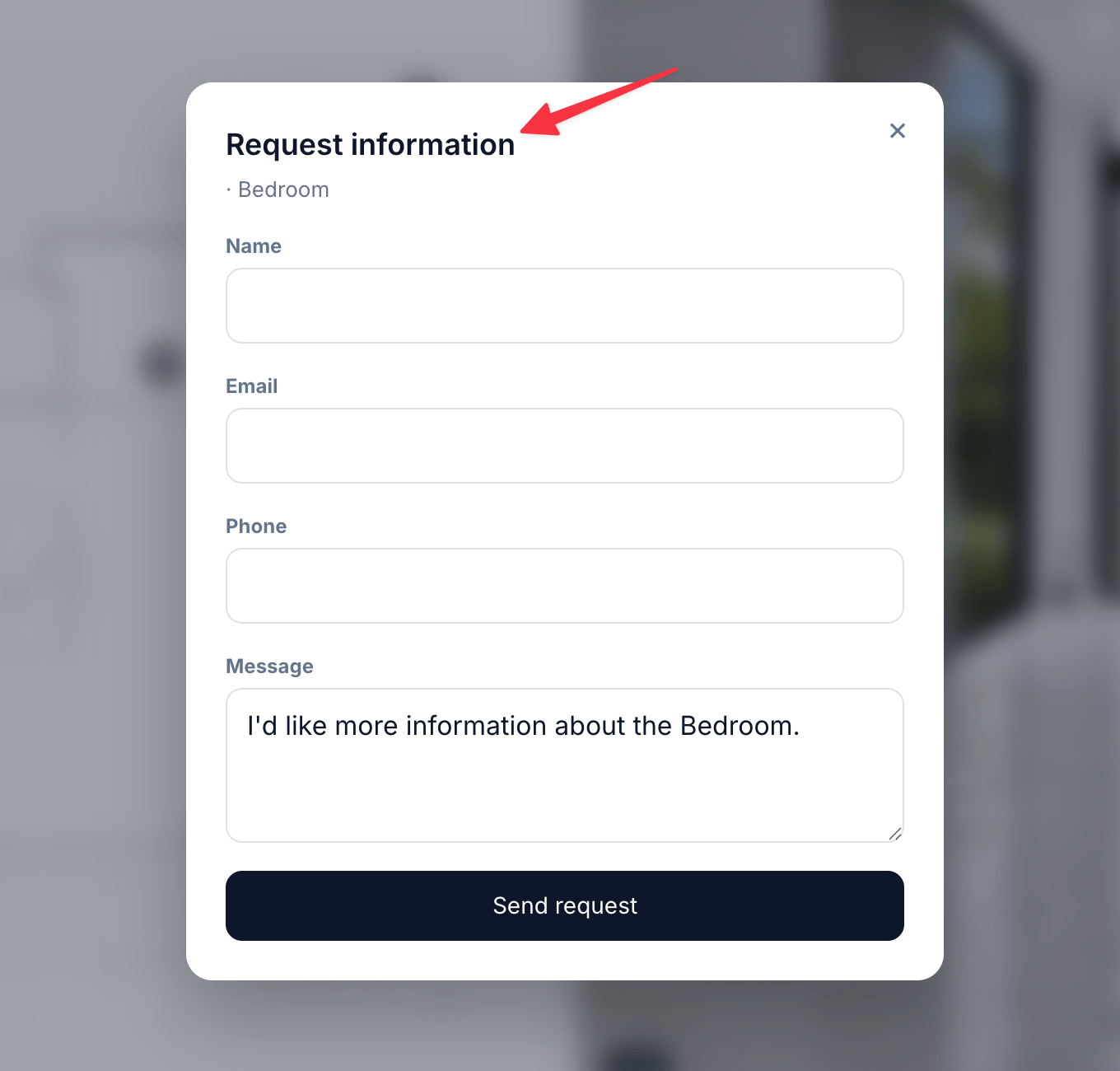
The enquiry dialog opens over the Visit, not on a separate page
Setting it up
1
Enable it
Tick Enable form on the public page.
2
Recipient email
Where new submissions are emailed. Use a monitored shared inbox rather than a personal address.
3
Write the copy
Form headline and Form subtext set the tone of the dialog, and Submit button label replaces the default call to action.
4
Choose the fields
Toggle Name, Email, Phone and Message independently.
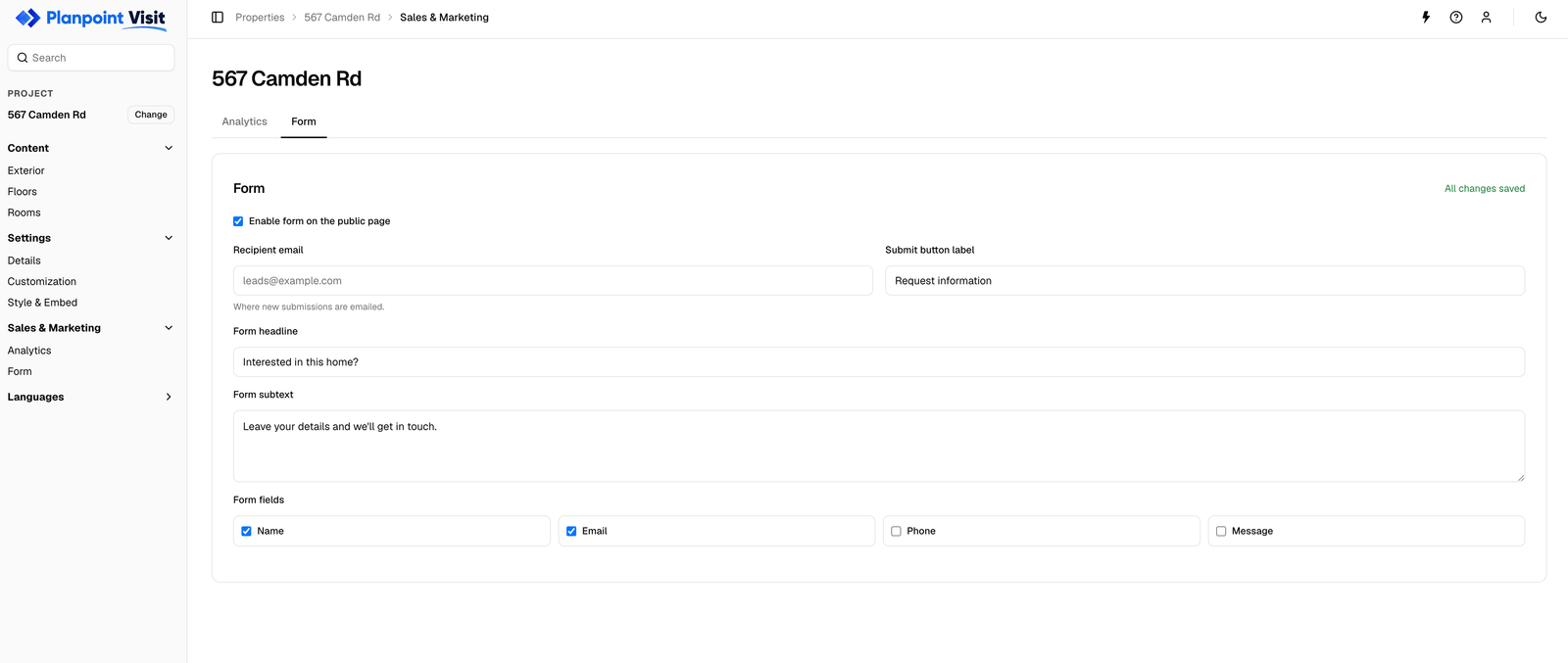
Sales → Form — recipient, copy and which fields to ask for
Writing copy that converts
Keep the ask small. Name and email is enough to start a conversation; adding phone and a long message field measurably reduces submissions.
Leads
Submissions are emailed to the recipient address and also stored against the property, so nothing is lost if a mail goes astray.Translations
The headline, subtext and button label are your own text, so they appear in the Translations tab for every language you enable. The field labels themselves are part of the interface and are already translated.Not seeing the form?
- Check Enable form on the public page is ticked
- Check your plan — the form is Pro-only
- The button appears on room views; the exterior view does not show it